

Audit Trail
Audit Trail
The Audit Trail acts as a log that records changes and activities performed across the workspace. It helps users track what happened, when it happened, what resource was affected, and who performed the action.
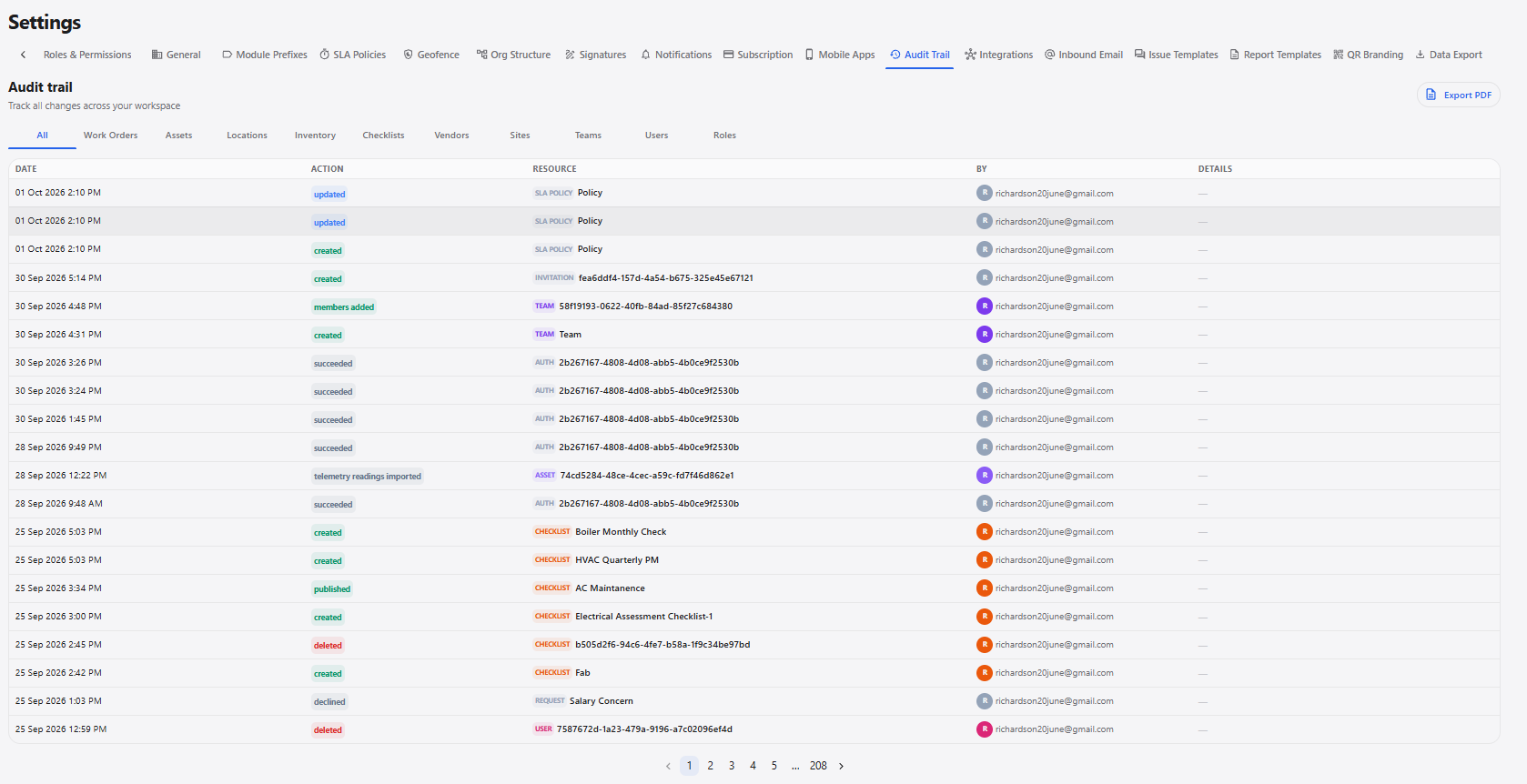
Audit Trail Details
| Section / Option | Description |
|---|---|
| All | Displays audit records from all available modules. |
| Work Orders | Displays audit records related to work orders. |
| Assets | Displays audit records related to assets. |
| Locations | Displays audit records related to locations. |
| Inventory | Displays audit records related to inventory. |
| Checklists | Displays audit records related to checklists. |
| Vendors | Displays audit records related to vendors. |
| Sites | Displays audit records related to sites. |
| Teams | Displays audit records related to teams. |
| Users | Displays audit records related to users. |
| Roles | Displays audit records related to roles and permissions. |
| Export PDF | Exports the audit trail records as a PDF. |
Audit Log Information
| Field | Description |
|---|---|
| Date | Displays the date and time when the action occurred. |
| Action | Displays the action performed, such as created, updated, deleted, published, declined, succeeded, or members added. |
| Resource | Displays the module and specific record affected by the action. |
| By | Displays the user who performed the action. |
| Details | Displays additional information about the recorded action when available. |
Audit Trail Workflow
Open Settings
      ↓
Select Audit Trail
      ↓
View Audit Logs
      ↓
Select Required Module Filter
      ↓
Review Date, Action, Resource, and User
      ↓
View Additional Details
      ↓
Export PDF if Required