

Data Export
Data Export
The Data Export section allows users to export system data as CSV files and download Work Order or Task completion reports.
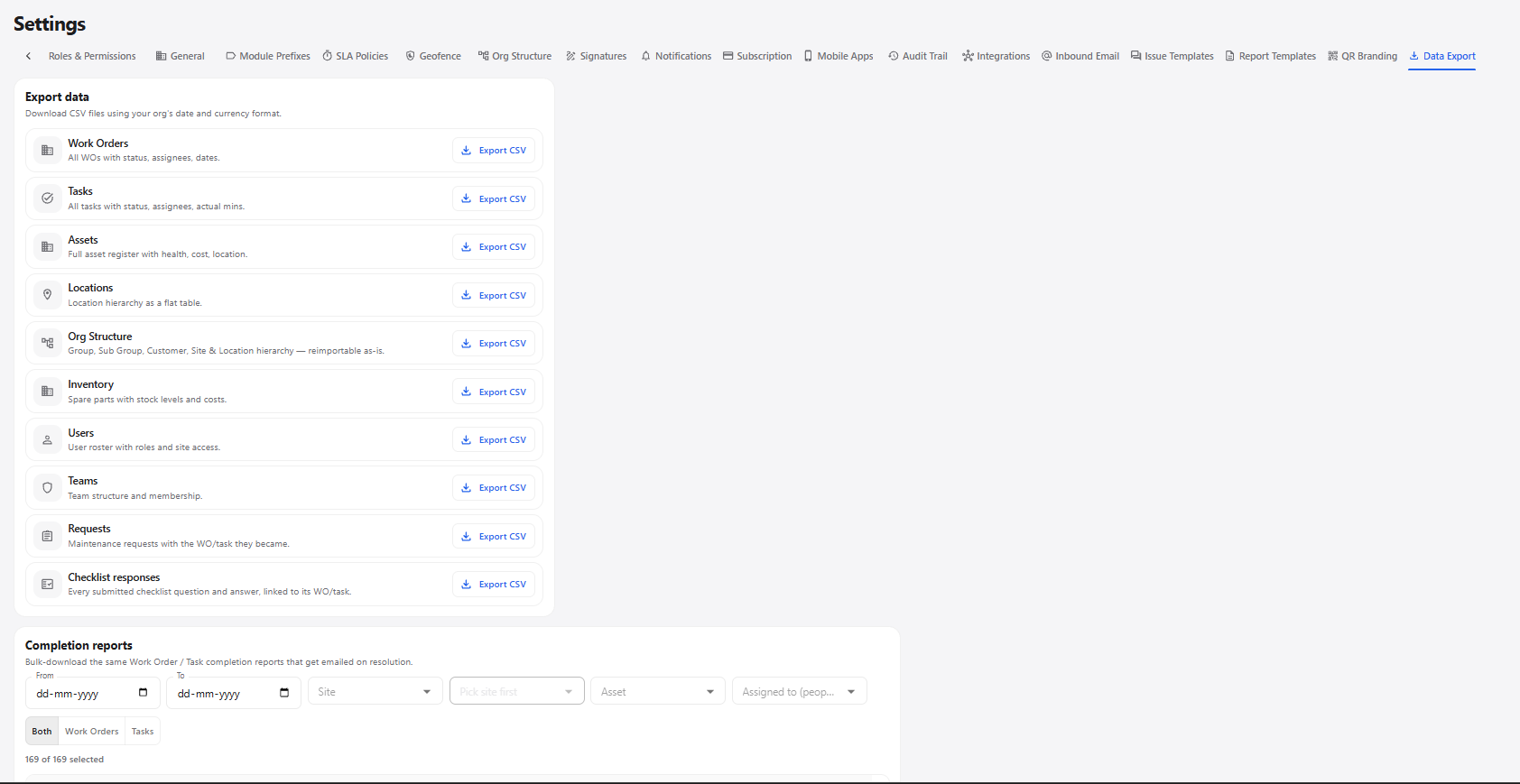
1. Export Data
The Export data section provides CSV export options for different modules.
| Data Type | Description | Action |
|---|---|---|
| Work Orders | Exports work orders with their status, assignees, and dates. | Export CSV |
| Tasks | Exports tasks with their status, assignees, and actual minutes. | Export CSV |
| Assets | Exports the asset register including health, cost, and location information. | Export CSV |
| Locations | Exports the location hierarchy as a flat table. | Export CSV |
| Org Structure | Exports the group, subgroup, customer, site, and location hierarchy. | Export CSV |
| Inventory | Exports spare parts with stock levels and costs. | Export CSV |
| Users | Exports the user register with roles and site access. | Export CSV |
| Teams | Exports team information and team membership. | Export CSV |
| Requests | Exports maintenance requests and the Work Order or Task they became. | Export CSV |
| Checklist responses | Exports submitted checklist questions and answers linked to Work Orders or Tasks. | Export CSV |
2. Completion Reports
The Completion reports section allows users to select completed Work Orders or Tasks and download their completion reports.
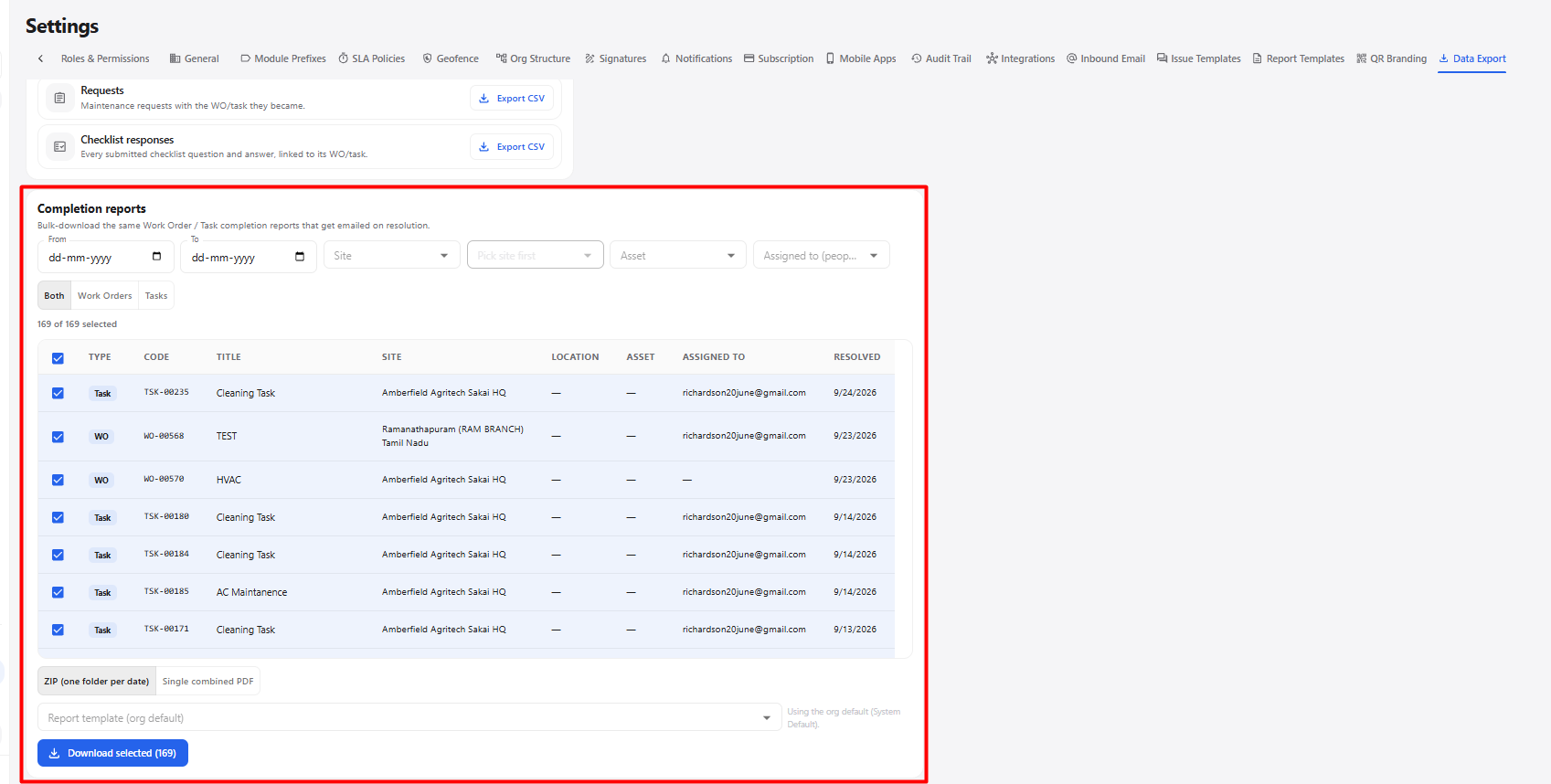
| Field / Option | Description |
|---|---|
| From | Select the starting date for the completion report search. |
| To | Select the ending date for the completion report search. |
| Site | Select the required site. |
| Pick site first | Select the site before choosing site-dependent options. |
| Asset | Filter the completion reports by asset. |
| Assigned to | Filter reports based on the assigned person. |
| Both | Displays both Work Orders and Tasks. |
| Work Orders | Displays only Work Order completion reports. |
| Tasks | Displays only Task completion reports. |
| Select | Select the required reports for download. |
| ZIP (one folder per date) | Downloads the selected reports as a ZIP file with separate folders by date. |
| Single combined PDF | Downloads the selected reports as one combined PDF. |
| Report template | Select the report template to use when generating the reports. |
| Download selected | Downloads the selected completion reports using the selected format and template. |
3. Data Export Workflow
Open Settings
      ↓
Select Data Export
      ↓
Choose Required Export
      ↓
Click Export CSV
      ↓
CSV File Downloaded