

Notifications
Notification Preferences
The Notification Preferences section allows users to choose which events generate in-app and email notifications.
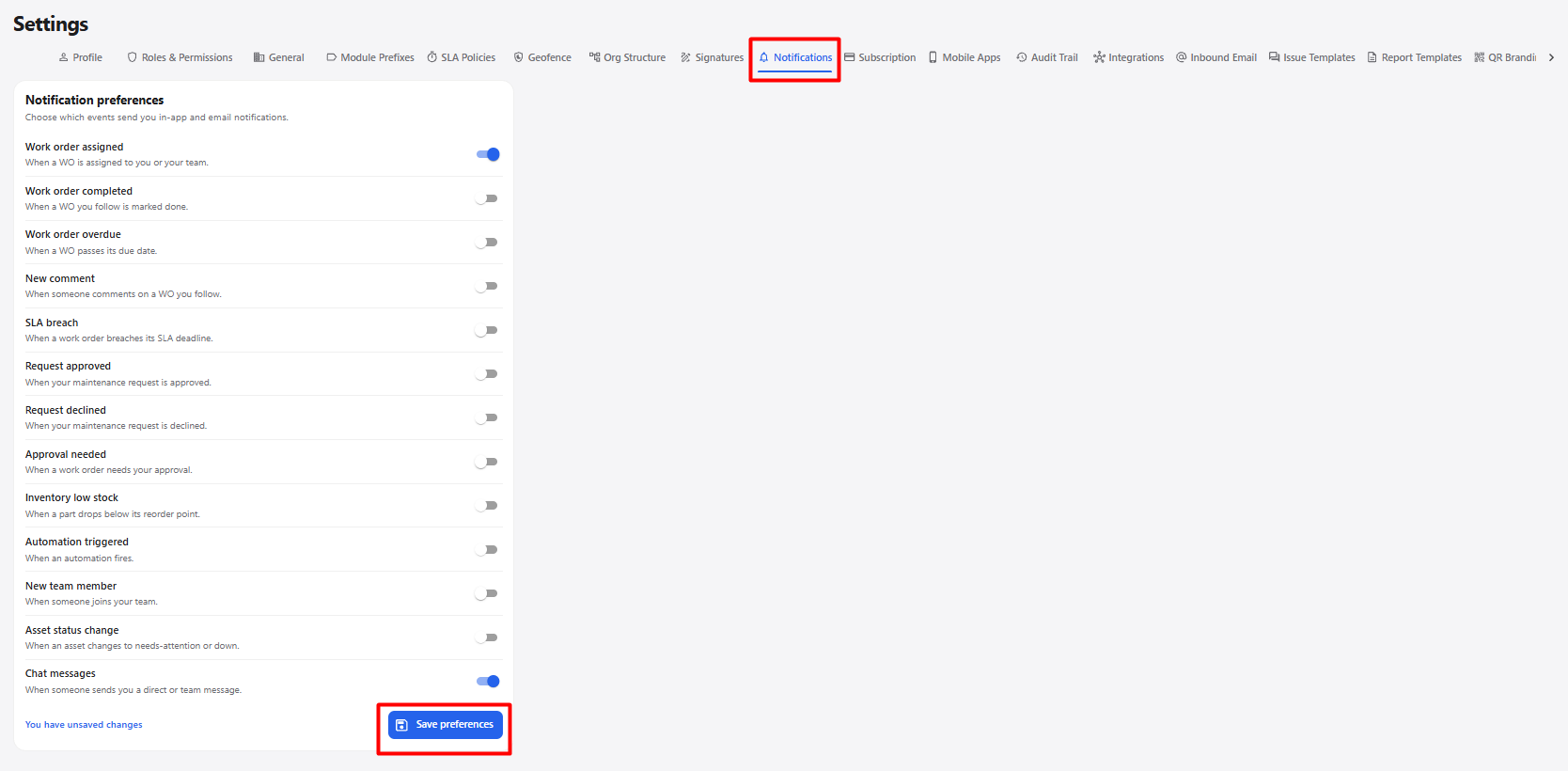
| Notification | Description |
|---|---|
| Work order assigned | Notifies when a work order is assigned to you or your team. |
| Work order completed | Notifies when a work order you follow is marked as completed. |
| Work order overdue | Notifies when a work order passes its due date. |
| New comment | Notifies when someone comments on a work order you follow. |
| SLA breach | Notifies when a work order breaches its SLA deadline. |
| Request approved | Notifies when your maintenance request is approved. |
| Request declined | Notifies when your maintenance request is declined. |
| Approval needed | Notifies when a work order requires your approval. |
| Inventory low stock | Notifies when an inventory part drops below its reorder point. |
| Automation triggered | Notifies when an automation is triggered. |
| New team member | Notifies when someone joins your team. |
| Asset status change | Notifies when an asset changes to a needs-attention or down status. |
| Chat messages | Notifies when someone sends you a direct or team message. |
| Save preferences | Saves the selected notification preferences. |
Notification Preferences Workflow
Open Settings
      ↓
Select Notifications
      ↓
Enable or Disable Required Notifications
      ↓
Review Notification Preferences
      ↓
Click Save preferences
      ↓
Notification Preferences Saved