

Roles & Permissions
Roles & Permissions
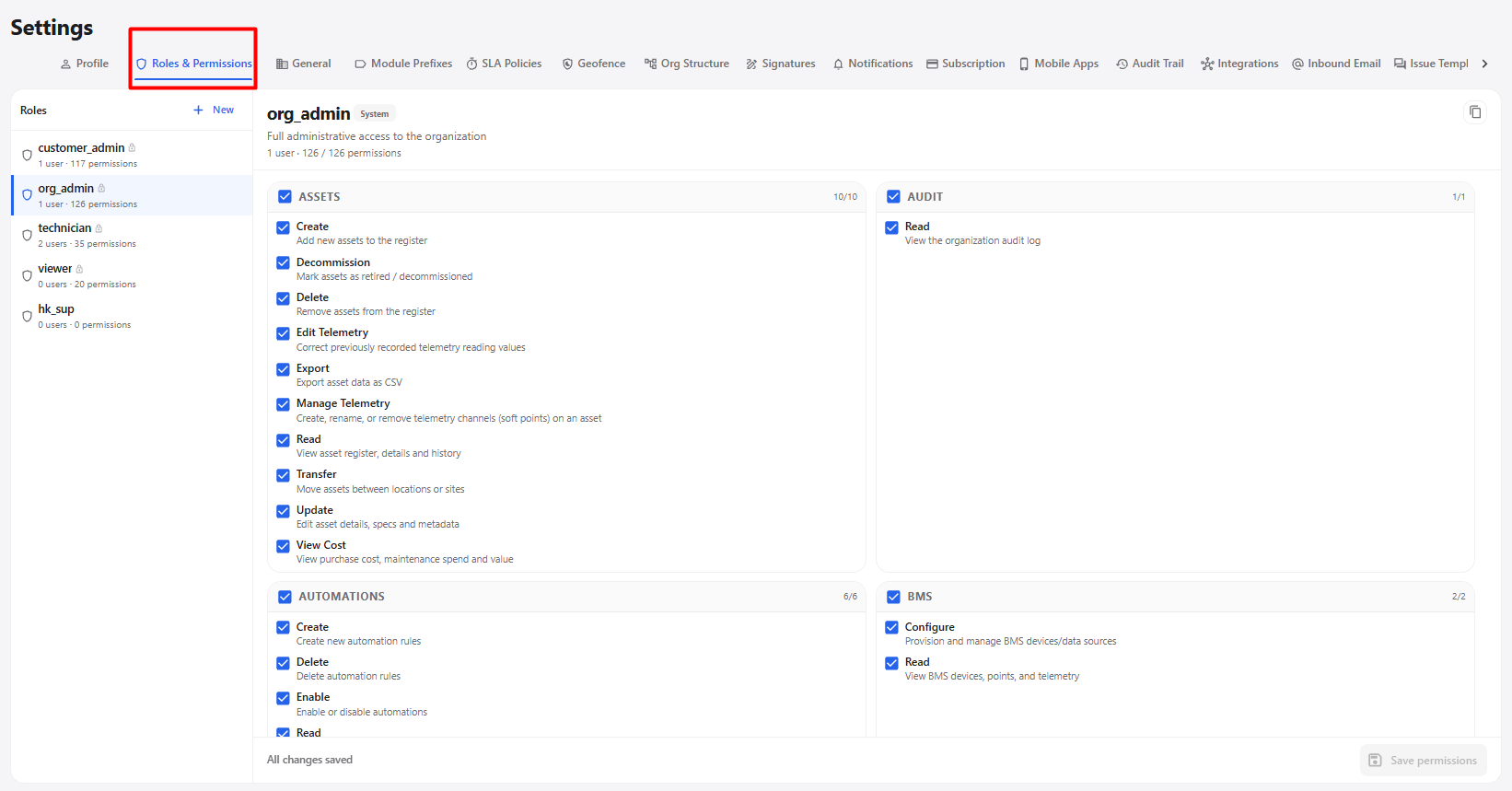
The Roles & Permissions section allows administrators to control what each user can access and what actions they can perform in the application.
| Option | Description |
|---|---|
| Roles | Displays the available roles in the system. |
| New | Creates a new role with the required permissions. |
| Role | Select a role to view and manage its permissions. |
| Permissions | Select the permissions required for the selected role. |
| Administrator Access | Allows administrators to provide the required module and action permissions. |
| User-Specific Access | Allows permissions to be assigned according to the user's responsibilities. |
| Read | Allows users to view the selected information. |
| Create | Allows users to create new records. |
| Edit / Update | Allows users to modify existing information. |
| Delete | Allows users to remove records. |
| Export | Allows users to export available data. |
| Save Permissions | Saves the permission changes made to the selected role. |
| Sign Out / Sign In | Users must sign out and sign in again after permission changes for the updated role permissions to take effect. |
Role and Permission Workflow
Open Settings
      ↓
Select Roles & Permissions
      ↓
Select Existing Role / Click New
      ↓
Select Required Permissions
      ↓
Click Save Permissions
      ↓
Sign Out
      ↓
Sign In Again
      ↓
Updated Role Permissions Applied
      ↓
User Gets Access According to Assigned Permissions