

Signatures
Email Signatures
The Email Signatures section allows users to create signatures that can be added to outgoing emails.
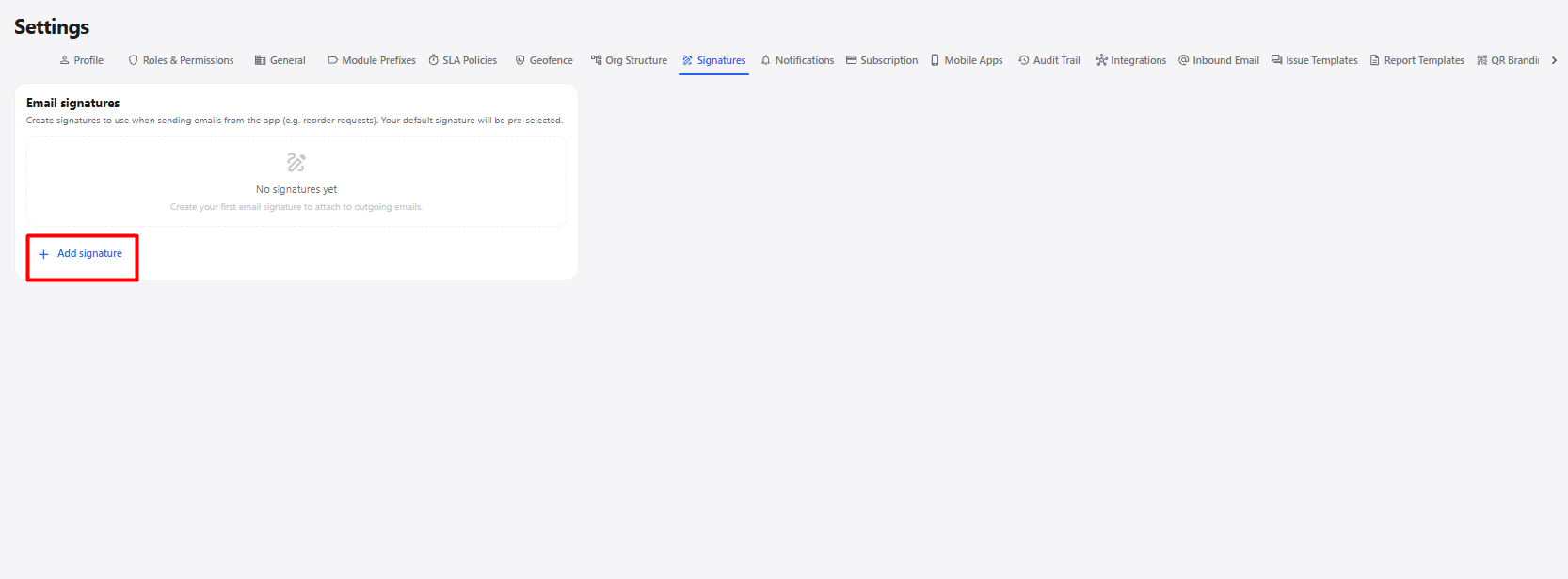
Add Signature
Click + Add signature to create a new email signature.
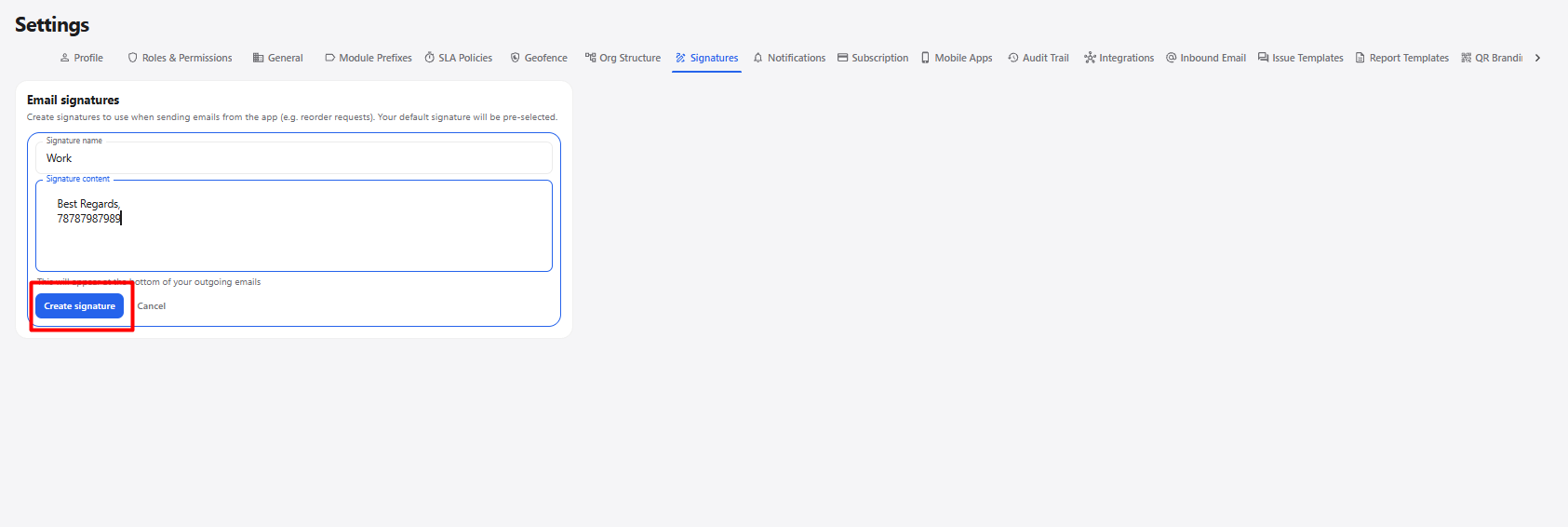
| Field / Option | Description |
|---|---|
| Signature name | Enter a name to identify the email signature. |
| Signature content | Enter the content that should appear at the bottom of outgoing emails. |
| Create signature | Creates and saves the email signature. |
| Cancel | Cancels the signature creation without saving it. |
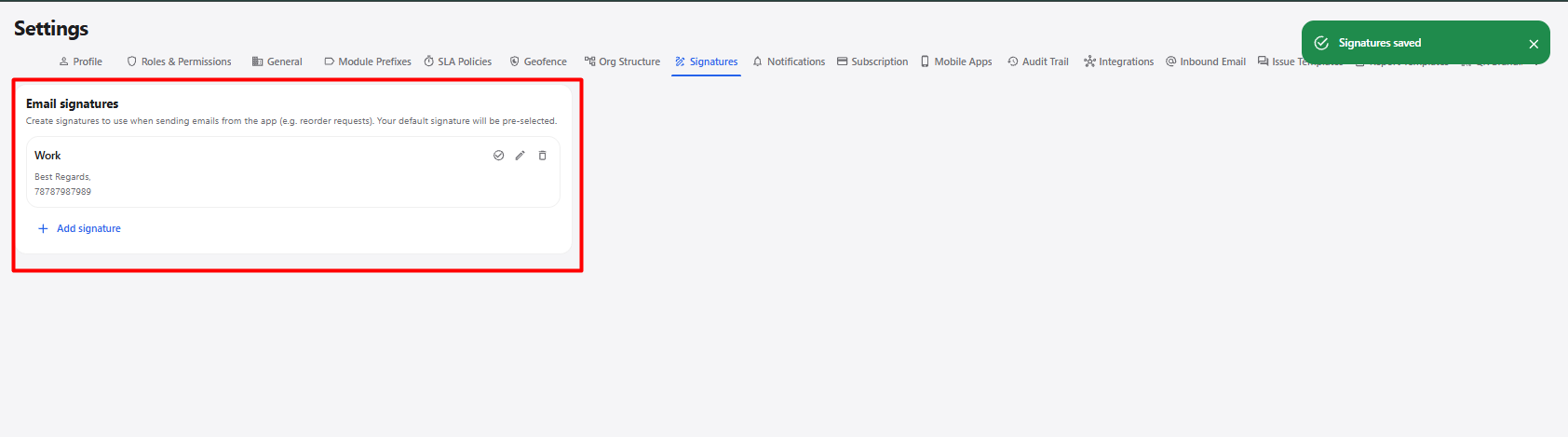
Email Signature Workflow
Open Settings
      ↓
Select Signatures
      ↓
Click + Add signature
      ↓
Enter Signature Name
      ↓
Enter Signature Content
      ↓
Click Create signature
      ↓
Email Signature Created
      ↓
Signature Available for Outgoing Emails