

Download for Offline
Download for Offline
The Download for Offline section allows users to download and synchronize the latest application data to their device. This enables users to access the downloaded information even when an internet connection is unavailable.
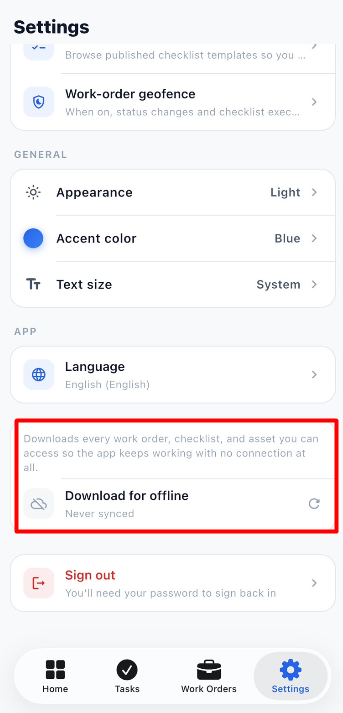
The offline data includes work orders, checklists, and assets.
Data Synchronization
When the user selects Download for Offline, Optimo Lite checks for the latest available data and updates the locally stored information on the device.
If there are any changes or newly updated data available, the latest information is downloaded and synchronized to the device.
This ensures that users have the most recent available data when working offline.
Data Included
The offline synchronization includes:
- Work Orders
- Checklists
- Assets
How to Update Offline Data
- Open the Settings module.
- Navigate to the APP section.
- Select Download for Offline.
- The application checks for the latest available data.
- Any new or updated information is downloaded to the device.
- Once synchronization is completed, the latest data is available for offline use.
Note: Users should periodically use Download for Offline to synchronize the latest changes and ensure that the offline data is up to date.