

Language
Language
The Language setting allows users to select the preferred language for the Optimo Lite application. The selected language is used for dates, system dialogs, and application text.
Users can select System Default to follow the language configured on their device, or manually select a supported language from the available list.
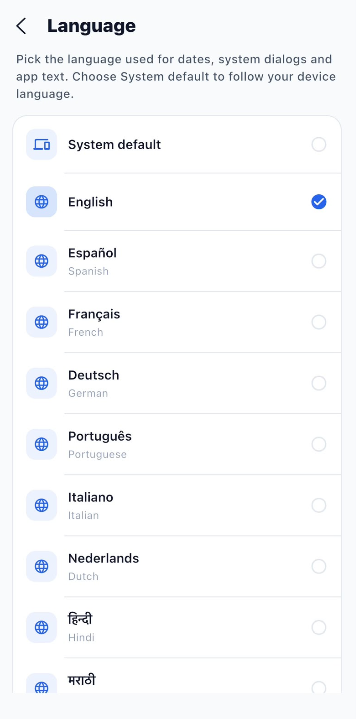
Language Options
The following languages are available in Optimo Lite:
- System Default – Follows the language configured on the device.
- English
- Español – Spanish
- Français – French
- Deutsch – German
- Português – Portuguese
- Italiano – Italian
- Nederlands – Dutch
- हिन्दी – Hindi
- मराठी – Marathi
- தமிழ் – Tamil
- తెలుగు – Telugu
- ಕನ್ನಡ – Kannada
- മലയാളം – Malayalam
- বাংলা – Bengali
- ગુજરાતી – Gujarati
- ਪੰਜਾਬੀ – Punjabi
How to Change the Language
- Open the Settings module.
- Select Language.
- The list of available languages is displayed.
- Select the required language.
- A check mark appears next to the selected language.
- The application uses the selected language for supported text, dates, and system dialogs.
Note: Selecting System Default allows Optimo Lite to automatically follow the language configured on the device.