

Download for Offline
Download for Offline Use
The Download for Offline option allows users to download the required data for offline access. Once the download is complete, the downloaded content can be used offline, depending on the features supported by the application.
Steps to Download for Offline Use
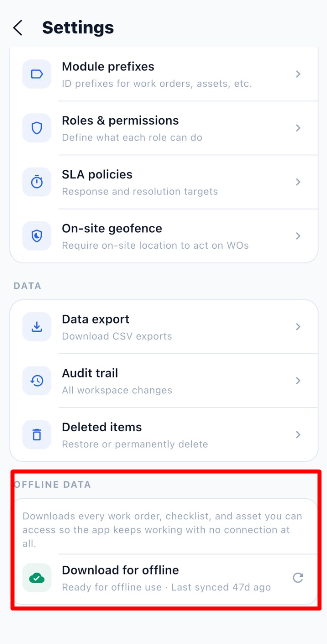
- Open the relevant module in the application.
- Select the Download for Offline option.
- Wait for the download process to complete.
- Verify that the required data has been downloaded successfully.
- Access the downloaded content when working offline.
Note: The exact data downloaded and the actions available offline depend on the application's offline functionality.
End-to-End Workflow
Open the Application
        ↓
Navigate to the Required Module
        ↓
Select Download for Offline
        ↓
Wait for the Download to Complete
        ↓
Verify the Downloaded Data
        ↓
Access the Available Data Offline