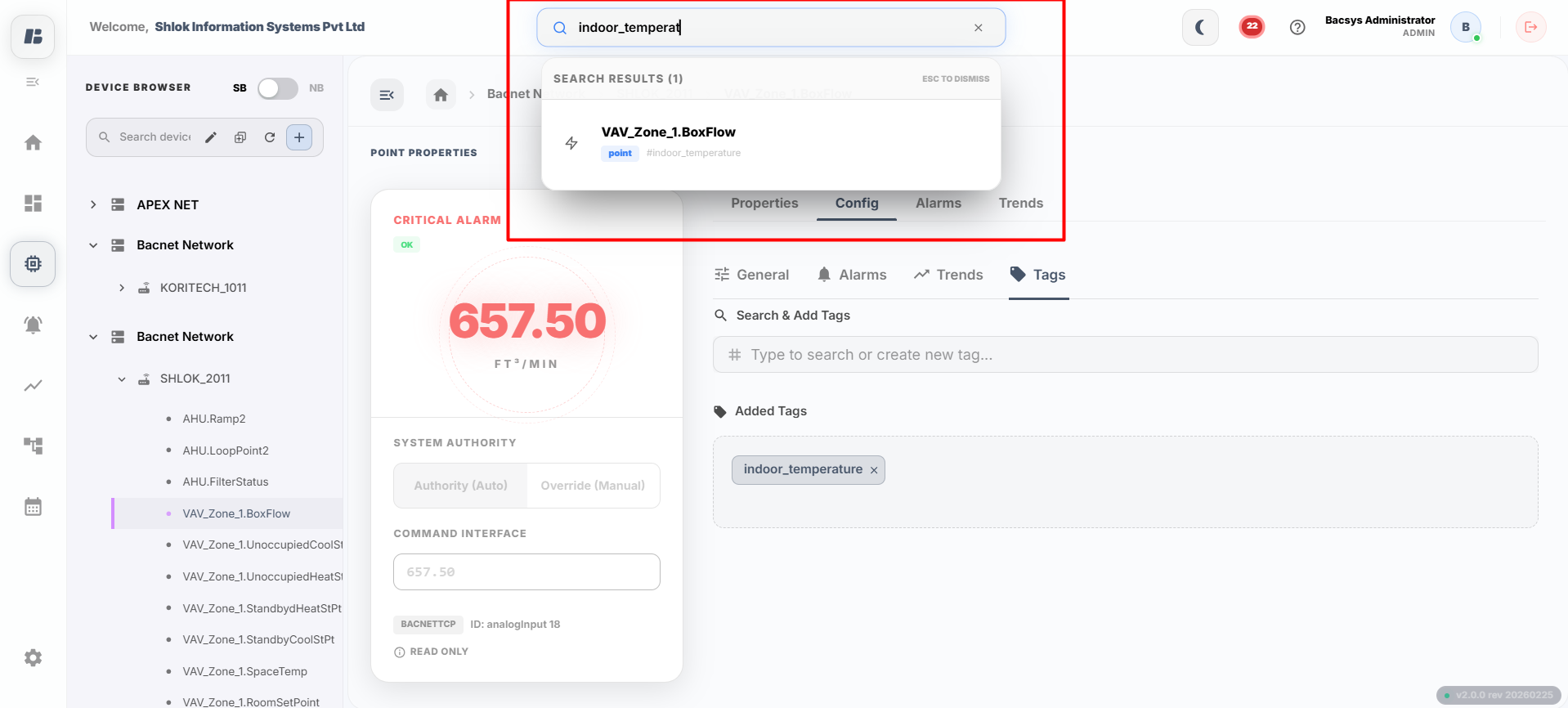
Configuring Tags
Point Configuration Tags:
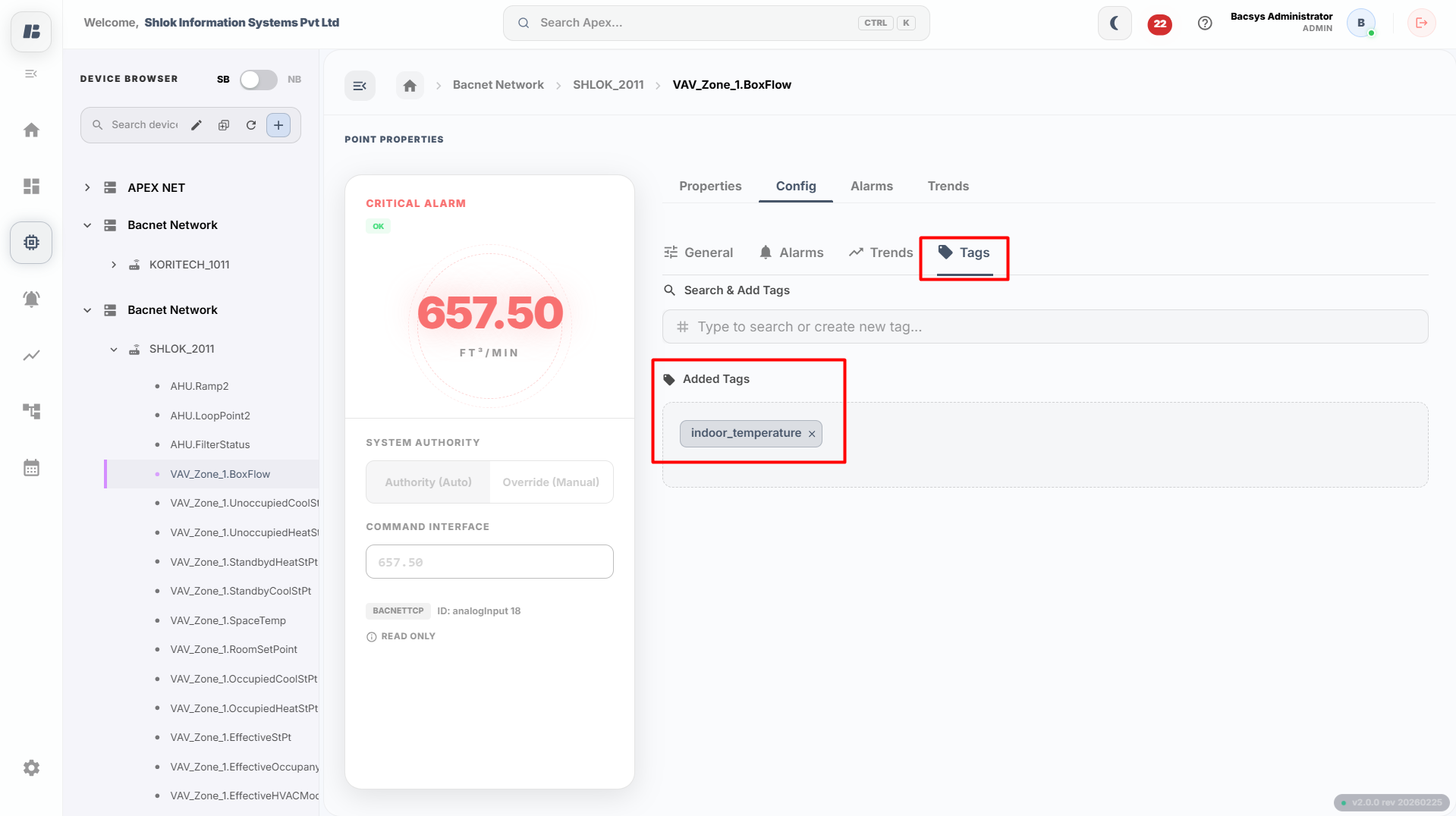 Point Properties Screen
| Field | Description |
|---|---|
| Search & Add Tags | Search for tags and add them to the Points/Objects. |
| Added Tags | This field shows the added tags in the Points/Objects. |
Configuring Tags
-
- Go to the Tags section.
- Click on the Add Tags button.
- Enter the desired tags and confirm to add them.
- The added tags will now appear in the Added Tags list.
-
- To search for a tag, click on the Global Search in the header of the app.
- Enter the tag you want to find.
- The system will display the matching tags based on the search query once you click on it, i will navigatate to the point.