

Backup & Restore
The Backup & Restore module allows users to create backups of the system configuration and application data, restore previously saved backups, and perform system reset operations when required.
Using this module, you can:
- Archive the current system configuration.
- Restore a previously saved configuration backup.
- Archive application data.
- Restore previously saved application data.
- Reset the system configuration.
- Reset application data.
- Perform a soft reset of the controller.
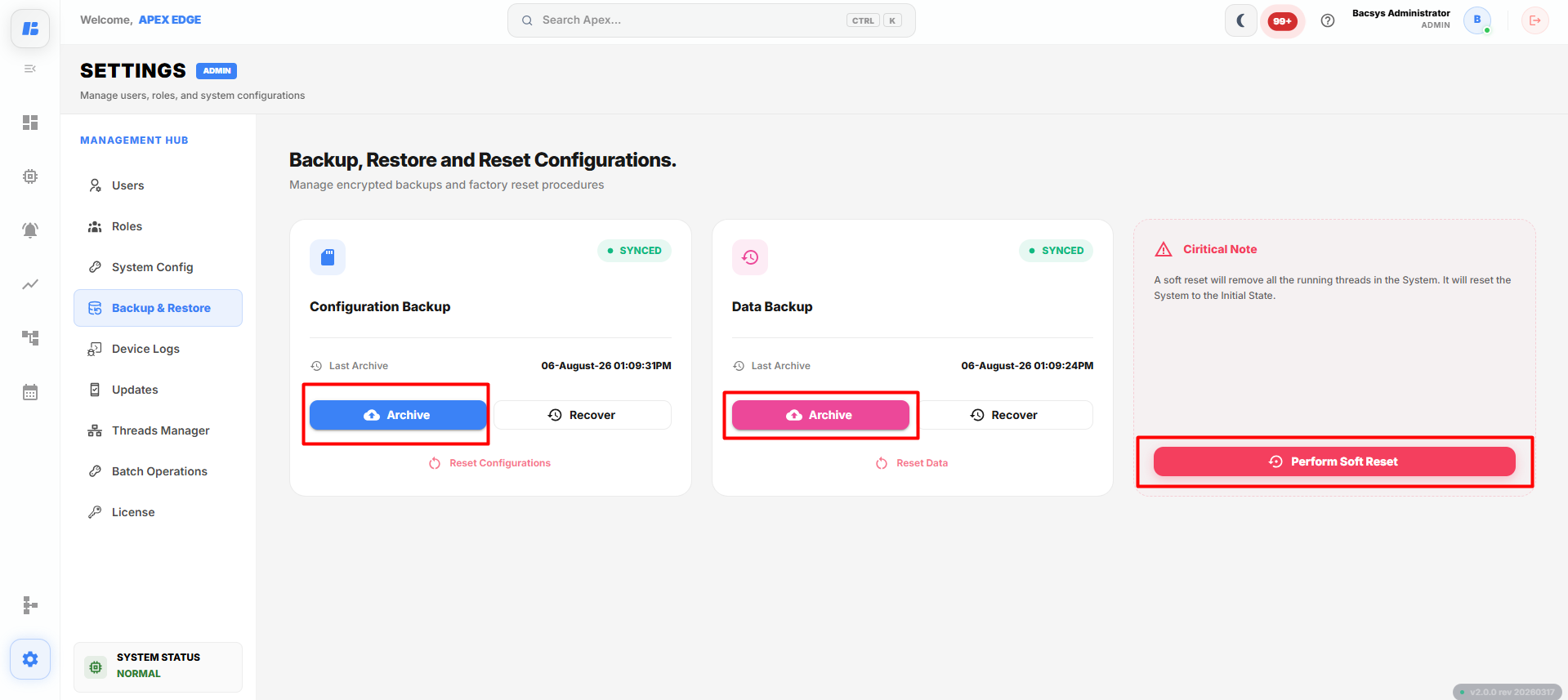
Backup & Restore
Configuration Backup
The Configuration Backup section is used to create and restore backups of the system configuration.
| Option | Description |
|---|---|
| Last Archive | Displays the date and time of the most recent configuration backup. |
| Archive | Downloads the current system configuration as an encrypted backup file. |
| Recover | Restores a previously saved configuration backup file. |
| Reset Configurations | Resets all system configuration settings to their default values. |
To create a configuration backup:
- Click Archive.
- The current configuration is downloaded to your local system.
To restore a configuration backup:
- Click Recover.
- Browse and select the required backup file.
- Click Open.
- The selected configuration is restored.
Data Backup
The Data Backup section is used to create and restore backups of application data.
| Option | Description |
|---|---|
| Last Archive | Displays the date and time of the most recent data backup. |
| Archive | Downloads the current application data as an encrypted backup file. |
| Recover | Restores a previously saved application data backup file. |
| Reset Data | Resets the application data to its default state. |
To create a data backup:
- Click Archive.
- The current application data is downloaded to your local system.
To restore a data backup:
- Click Recover.
- Browse and select the required backup file.
- Click Open.
- The selected application data is restored.
Perform Soft Reset
The Perform Soft Reset option restarts the controller without deleting the saved configuration or backup files.
To perform a soft reset:
- Click Perform Soft Reset.
- Confirm the operation when prompted.
The controller restarts all running services and returns to its normal operating state.
Note: A soft reset stops all running threads and restarts the system services. Existing configurations, backups, and user data are preserved.
Complete Workflow
Manage system backups by following the workflow below:
- Open Settings.
- Select Backup & Restore.
- Click Archive under Configuration Backup to download the current configuration.
- Click Recover to restore a previously saved configuration backup.
- Click Archive under Data Backup to download the current application data.
- Click Recover to restore a previously saved data backup.
- Use Reset Configurations or Reset Data only when required.
- Click Perform Soft Reset to restart the controller.
The selected backup, recovery, or reset operation is completed successfully.