

Settings
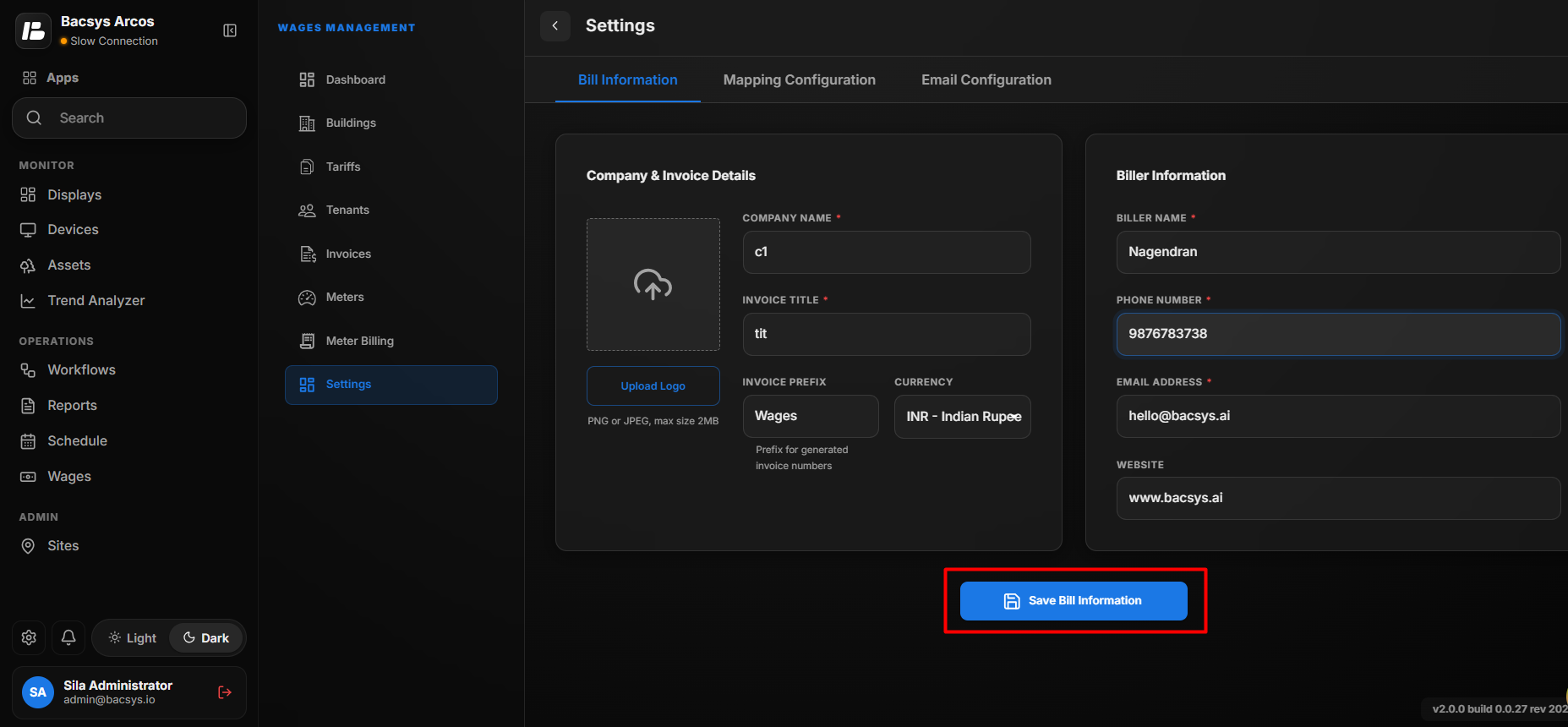
The Company and Invoice Details section allows users to configure the company information and invoice-related details that are used when generating in...
The Company and Invoice Details section allows users to configure the company information and invoice-related details that are used when generating invoices.
Email Configuration
Configure invoice email notifications, SMTP settings and email templates.
Meter Mapping Configuration
Configure keywords used to automatically discover and map meter-related points.
Configure Company and Invoice Details
- Navigate to the Settings module.
- Open the Company and Invoice Details section.
- Enter the required company and invoice information.
- Upload the company logo if required.
- Review the entered information.
- Click Save Bill Information to save the changes.
| Field | Description |
|---|---|
| Upload Logo | Upload the company logo to be displayed on generated invoices. The supported formats are PNG and JPEG, with a maximum file size of 2 MB. |
| Company Name | Enter the name of the company that should appear on the invoice. |
| Invoice Title | Enter the title to be displayed on generated invoices. |
| Invoice Prefix | Enter the prefix used for automatically generated invoice numbers. |
| Currency | Select the currency to be used for invoice amounts. |
Note
The uploaded logo and configured company details are used when generating invoices.
Biller Information
The Biller Information section allows users to configure the contact details of the person or organization responsible for billing. These details can be used on generated invoices.
Configure Biller Information
- Open the Biller Information section.
- Enter the Biller Name.
- Enter the Phone Number.
- Enter the Email Address.
- Enter the Website, if required.
- Review the entered information.
- Click Save Bill Information.
| Field | Description |
|---|---|
| Biller Name | Enter the name of the person or organization responsible for billing. |
| Phone Number | Enter the contact phone number for the biller. |
| Email Address | Enter the email address used for billing-related communication. |
| Website | Enter the website URL associated with the billing organization. |
Note
The configured biller information is used as part of the invoice information when invoices are generated.
Save Bill Information
After configuring the Company and Invoice Details and Biller Information, click Save Bill Information to save the configured details.