

IP Architecture - V2CL
System Protocol Configuration – IP Architecture
The IP Architecture section is used to configure the Ethernet adapters and serial communication interfaces of the Apex200 device. It allows users to configure network parameters, serial communication settings, and deploy the configured network policies.
Ethernet Adapter (NIC)
The Ethernet Adapter section is used to configure the network settings for the Ethernet interfaces available on the Apex200 device.
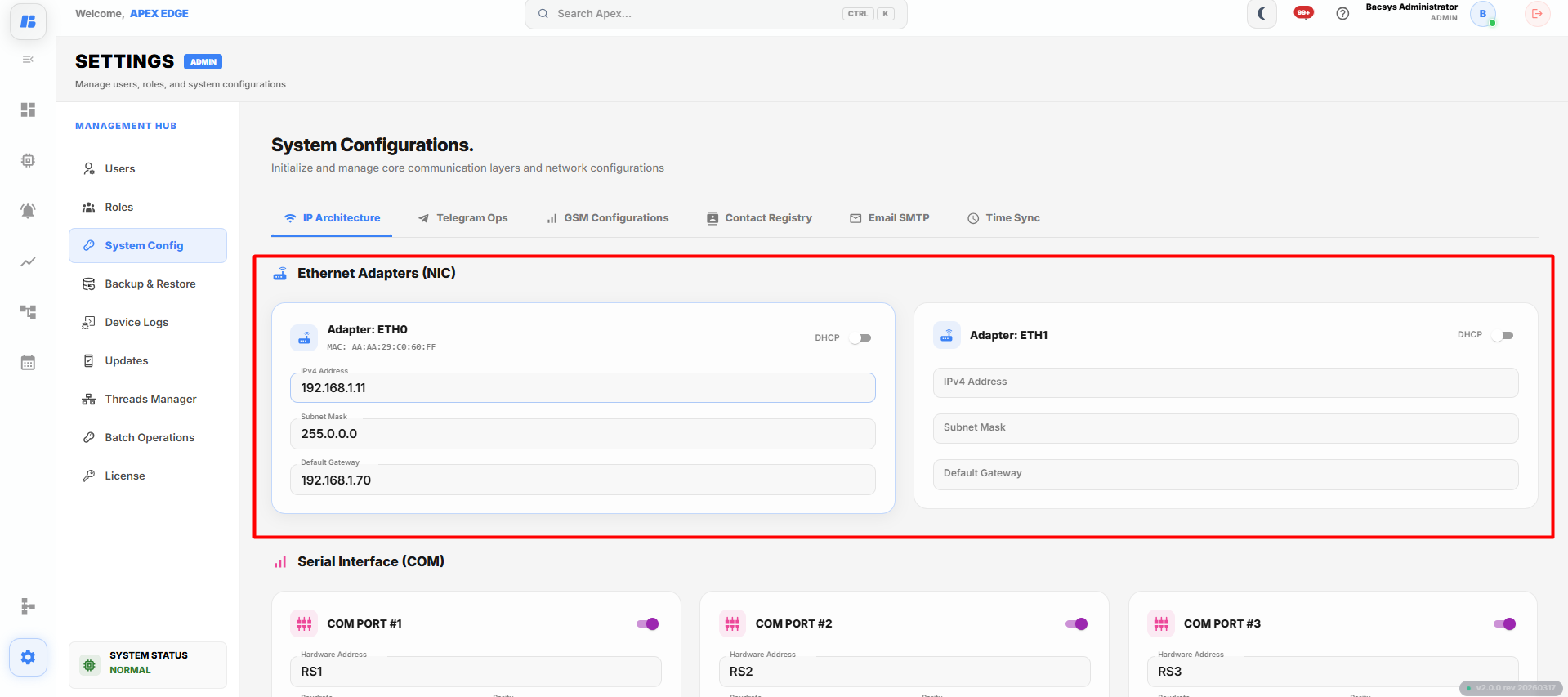
To configure an Ethernet adapter:
- Open the System Protocol module.
- Navigate to IP Architecture.
- The IP Architecture configuration page is displayed.
- Select the required Ethernet adapter.
The Apex200 device provides the following Ethernet adapters:
- ETH0 – First Ethernet port.
- ETH1 – Second Ethernet port.
Configure the following network parameters:
| Field | Description |
|---|---|
| IP Address | Specifies the IP address assigned to the Ethernet adapter. |
| Subnet Mask | Specifies the subnet mask used for the network. |
| Default Gateway | Specifies the gateway address used for communication with other networks. |
After configuring the required network parameters:
- Verify the entered values.
- Save or deploy the configuration as required.
Serial Interface (COM)
The Serial Interface (COM) section is used to configure RS485 communication ports available on the Apex200 device.
The device supports the following RS485 communication ports:
- COM Port 1
- COM Port 2
- COM Port 3
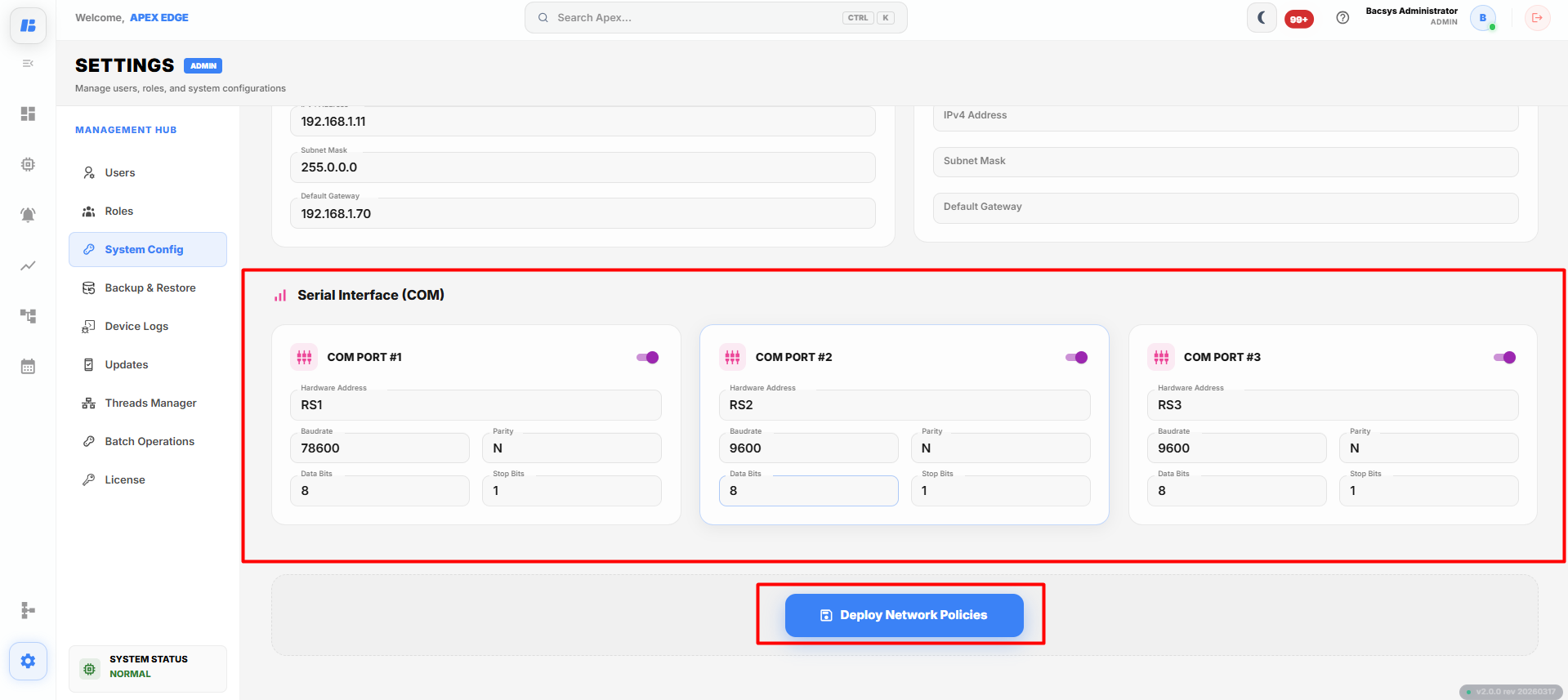
To configure a serial interface:
- Open the System Protocol module.
- Navigate to Serial Interface (COM).
- Select the required COM port.
Configure the following communication parameters:
| Field | Description |
|---|---|
| Hardware Address | Specifies the unique address of the connected device on the serial network. |
| Baud Rate | Specifies the communication speed used for data transmission. |
| Parity | Specifies the parity mode used during communication (None, Even, or Odd). |
| Data Bits | Specifies the number of data bits used in each communication frame. |
| Stop Bits | Specifies the number of stop bits used during communication. |
Note: The communication parameters must match the configuration of the connected field device to establish successful communication.
Deploy Network Policies
After configuring the Ethernet adapter or Serial Interface settings:
- Verify all configured parameters.
- Click Deploy Network Policies.
- The system applies the configured network settings.
- The configured Ethernet adapter and serial communication settings become active.
Complete Workflow
Configure the network settings by following the workflow below:
- Open the System Protocol module.
- Navigate to IP Architecture.
- Select the required Ethernet adapter (ETH0 or ETH1).
- Configure the IP Address, Subnet Mask, and Default Gateway.
- Navigate to Serial Interface (COM).
- Select the required COM Port.
- Configure the Hardware Address, Baud Rate, Parity, Data Bits, and Stop Bits.
- Verify all configured settings.
- Click Deploy Network Policies.
The configured network and serial communication settings are applied successfully, and the device is ready to communicate with connected Ethernet and RS485 devices.